
Convert Excel to PDF in bulk, offline
Turn XLSX, XLS, CSV and ODS spreadsheets into PDFs ready to send — one file or a folder of them, on your own PC.
PDFClubs apps run on Windows 10 and 11 PCs.
- No upload
- Batch convert
- Free trial
- Windows 10 & 11
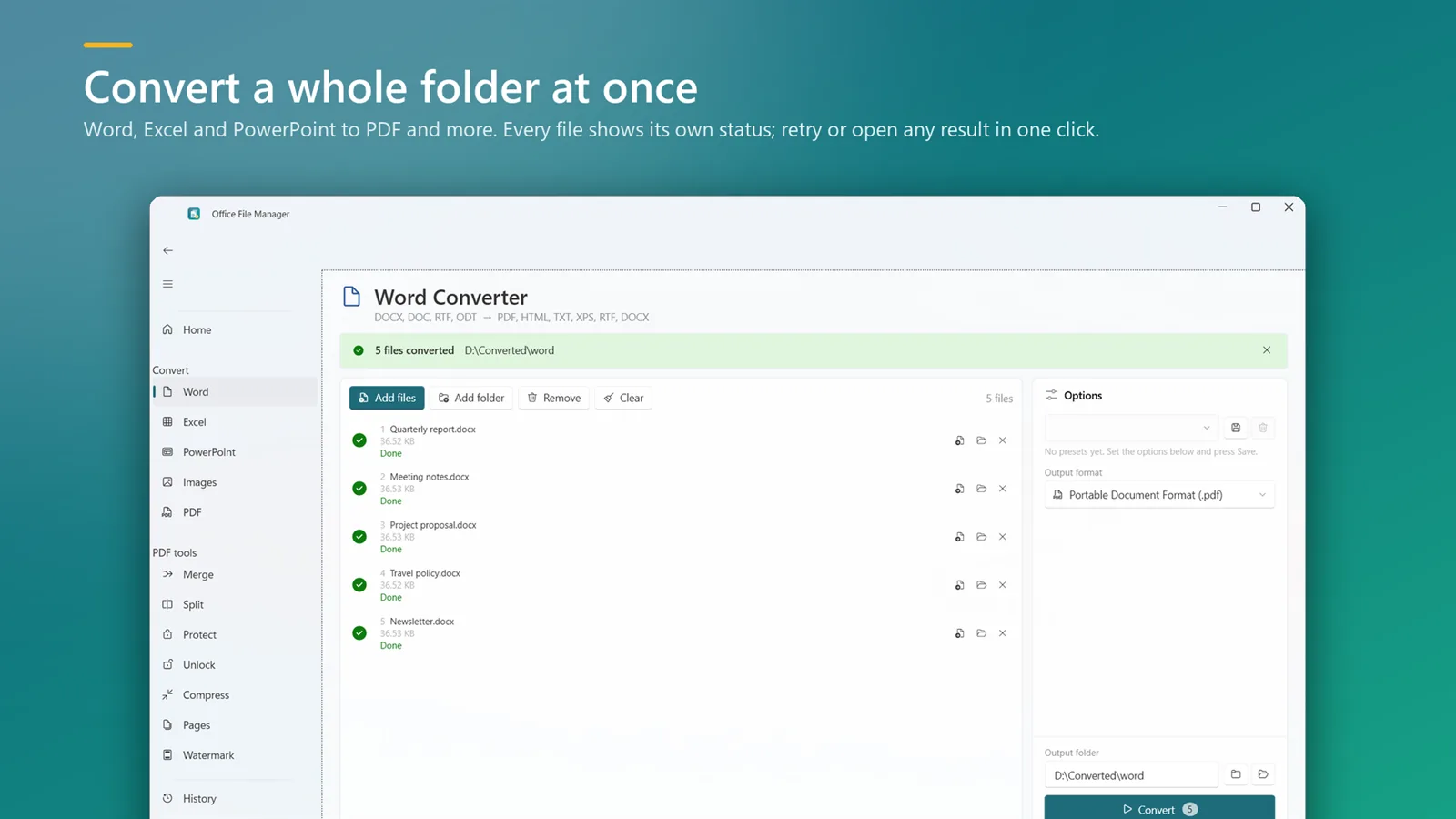
How to convert Excel spreadsheets to PDF
- Install Office File Manager from the Microsoft Store and open it.
- Drop your spreadsheets or a folder onto the window.
- Choose PDF as the output format and pick an output folder.
- Click Convert. Every file shows its status, so you can see at a glance what is done.
Good to know
- Conversion uses your installed Microsoft Office (2016 or later), so page setup and print areas you set in Excel are respected.
- Spreadsheets can also become XPS, CSV, text, HTML or XLSX.
- Presets remember your format and folder, so a monthly batch is two clicks.
Excel to PDF questions
Do I need Excel installed?
Yes. Spreadsheets are converted with your installed Microsoft Office (2016 or later).
Can I convert CSV files to PDF?
Yes. CSV, XLSX, XLS and ODS files are all supported.
Can I convert a folder of spreadsheets at once?
Yes. Drop the folder in and each spreadsheet becomes its own PDF.
Excel to PDF on your PC, starting today
Try Office File Manager free from the Microsoft Store, then keep it for ₹299 once.
