
Merge
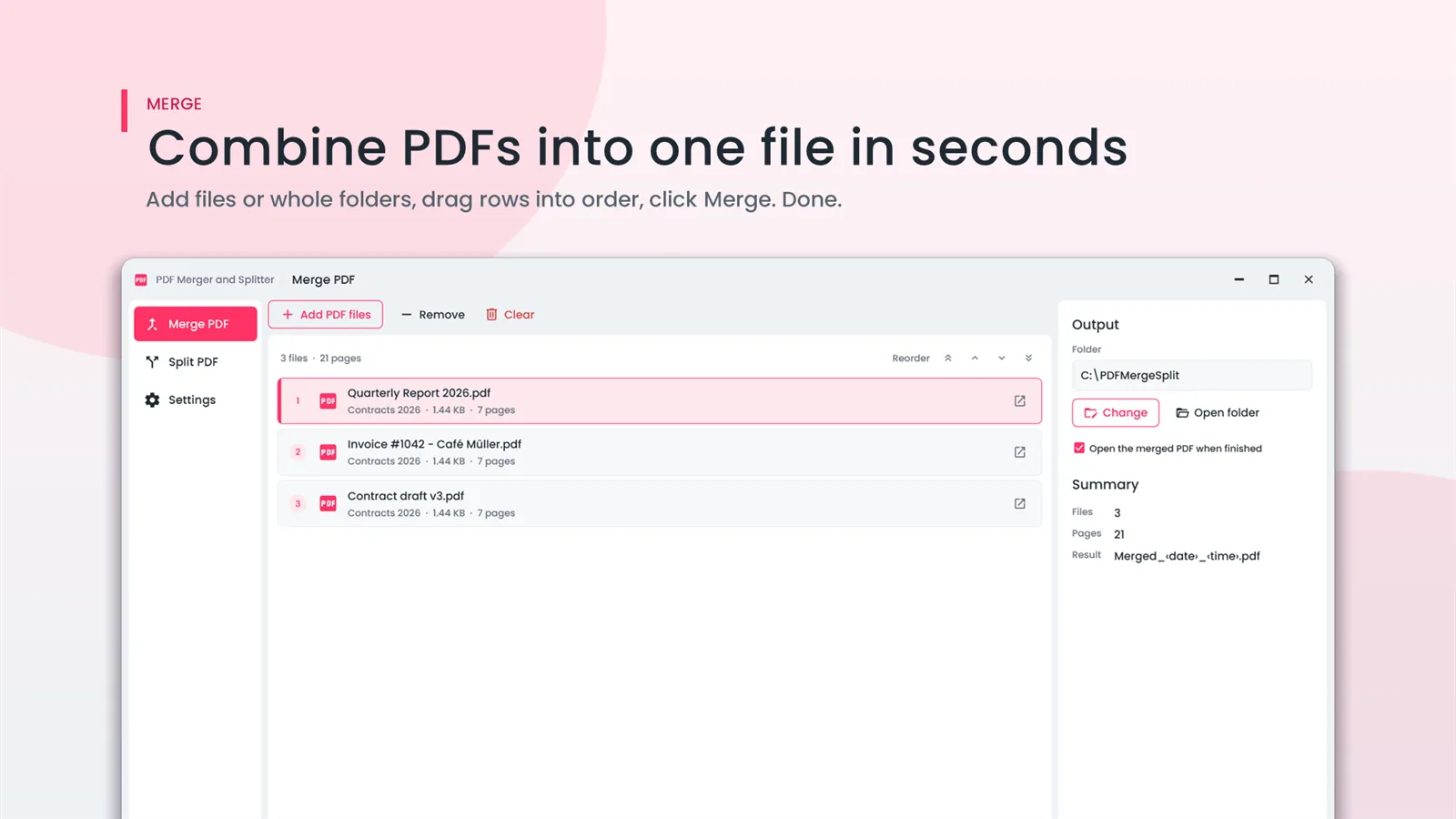
Add files or whole folders, drag rows into order, click Merge. The merged PDF can open automatically when it is done.

Combine several PDFs into one, or split a PDF into single pages or a page range. A small, focused app that runs entirely on your PC.
PDFClubs apps run on Windows 10 and 11 PCs.
Combine PDFs into one file, or split one into pages — nothing else to learn.
Add files or whole folders, drag rows into order, click Merge. The merged PDF can open automatically when it is done.
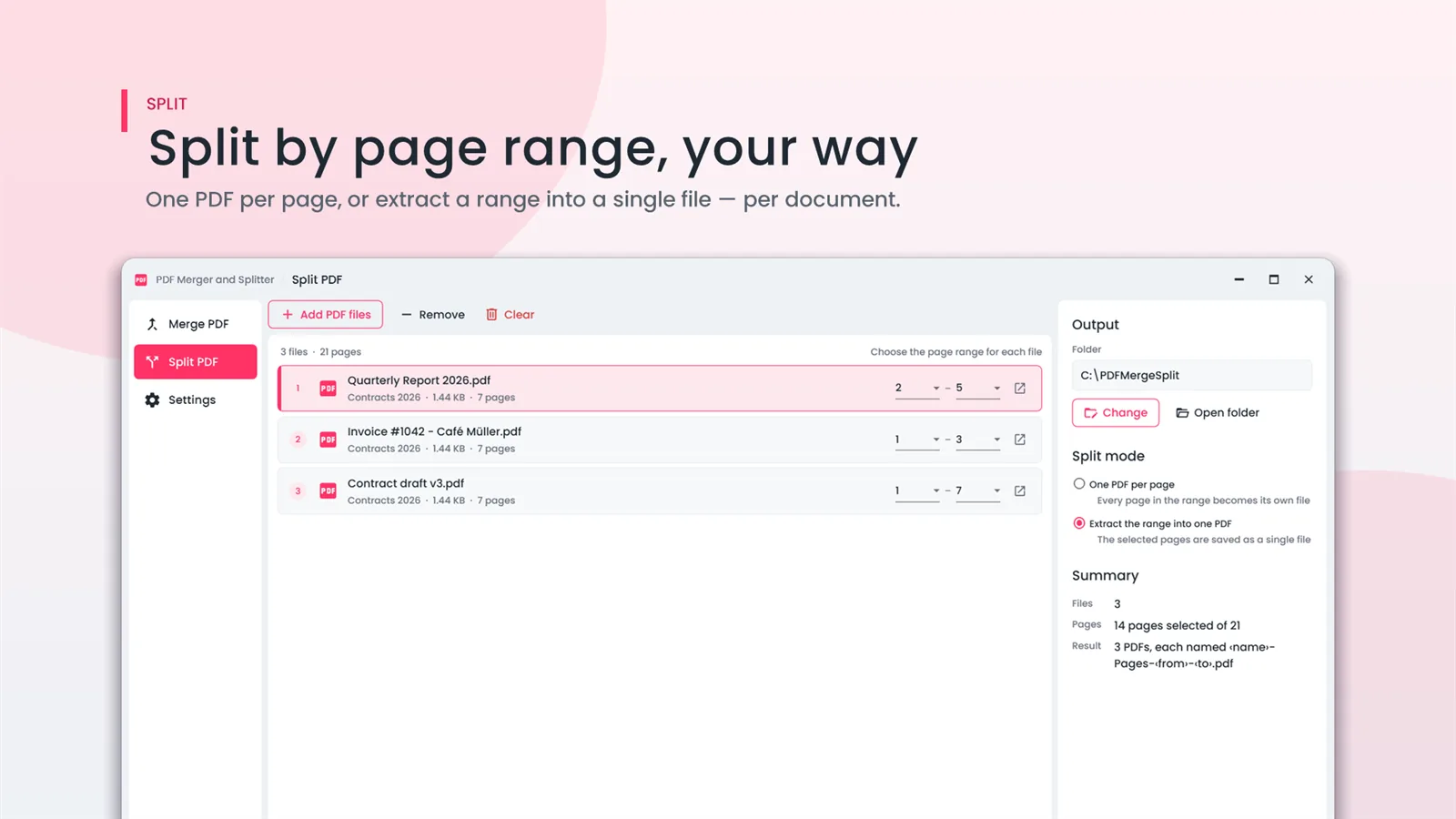
One PDF per page, or extract a page range into a single file per document.
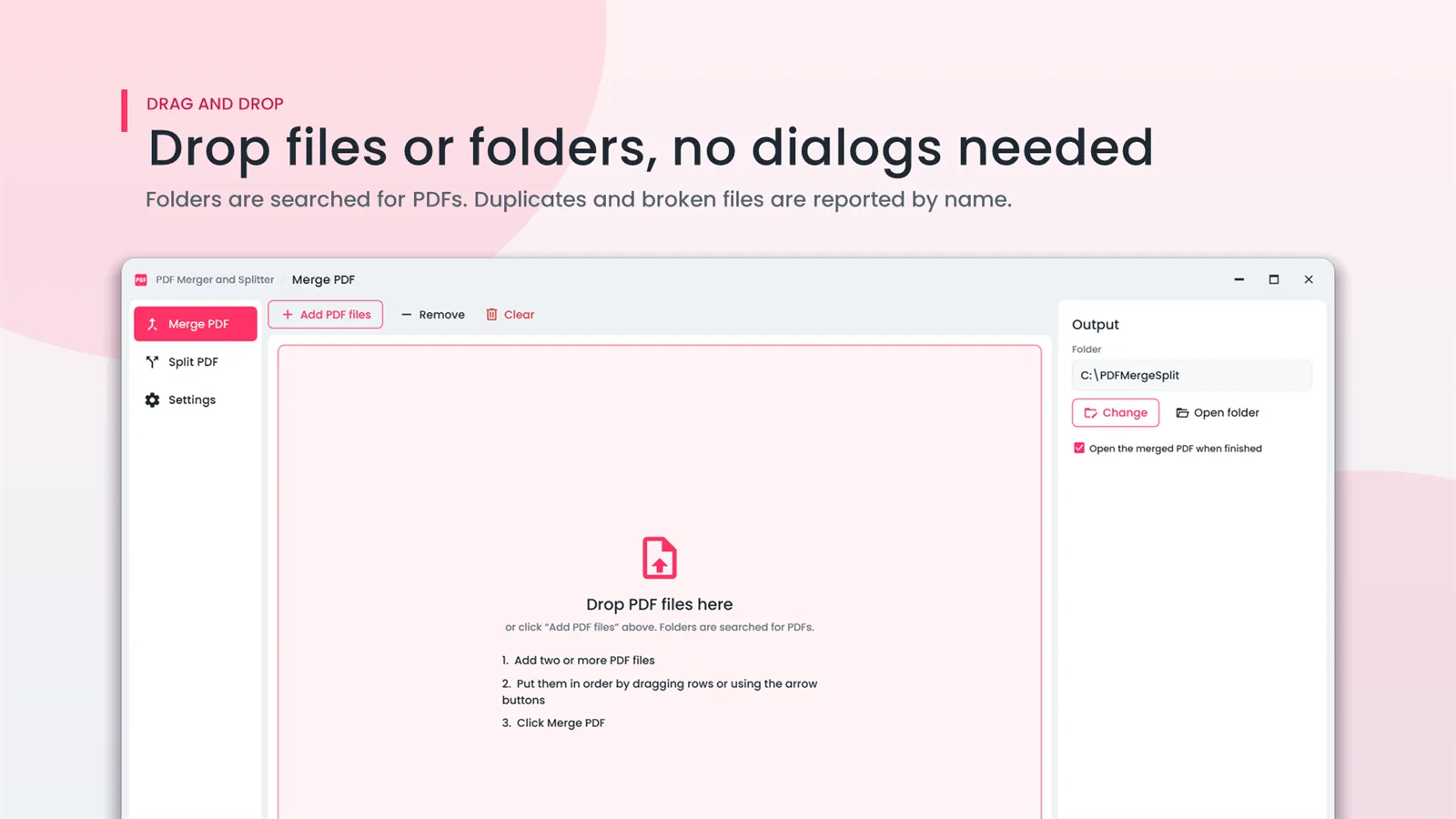
Folders are searched for PDFs for you. Duplicates and broken files are reported by name.
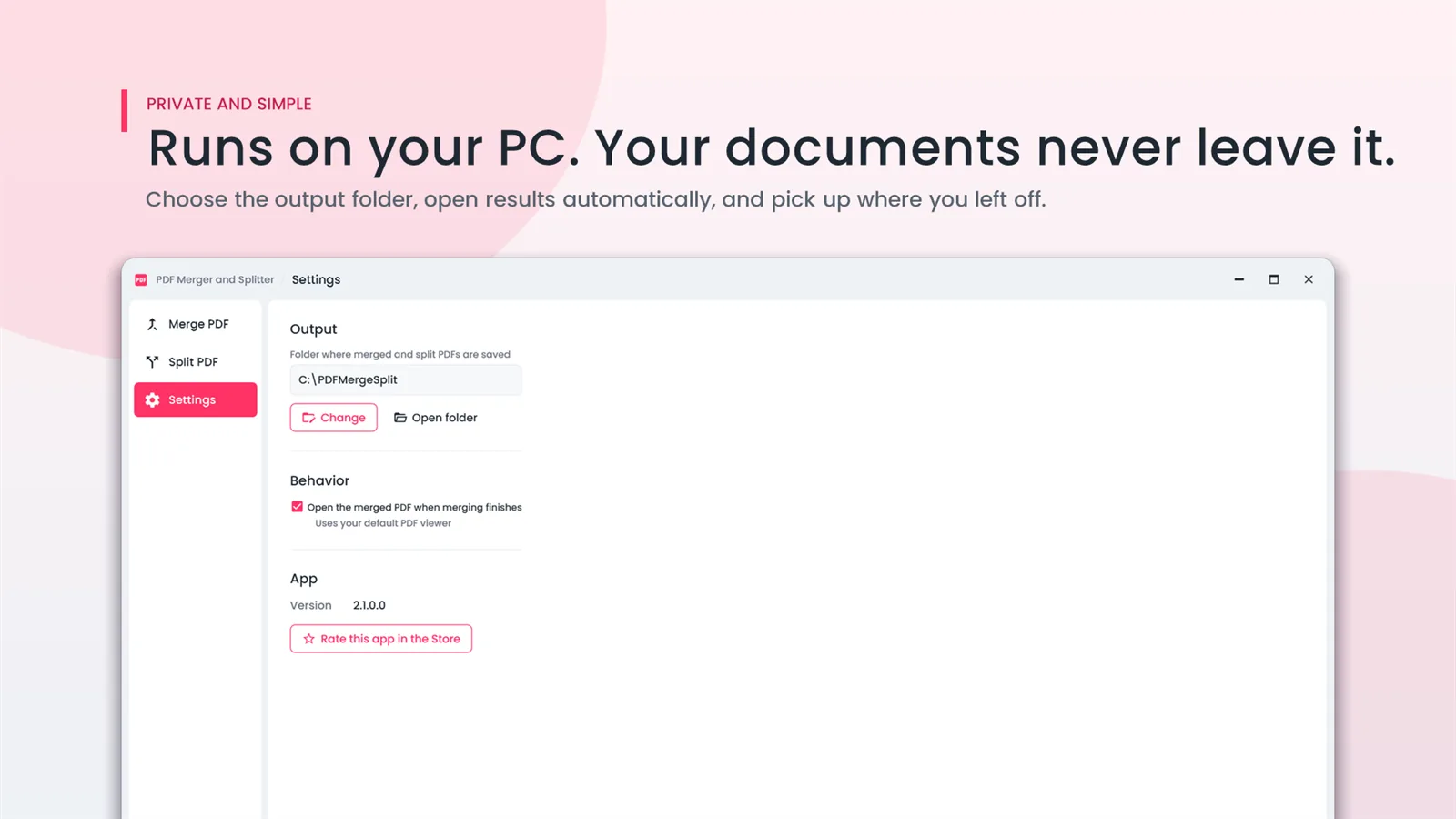
Runs on your PC — your documents never leave it. Choose the output folder once and pick up where you left off.
4.2 out of 5 from 49 ratings on the Microsoft Store.
★★★★★
Easy to Use. Downloaded app, dragged in documents and hit the merge button to create a single document. Easy to use.
★★★★★
PDF Merger and Splitter. Very nice tool which gives quick output
★★★★★
Great for merging PDFs. Combining and splitting pdfs is really easy now.
Works on its own — Microsoft Office is not needed.
₹109one-time
No upload, no upload limit. Add as many PDFs as your PC can handle.
No. PDF Merger And Splitter works on its own.
This app merges whole files. To take a page range from each file or add bookmarks per file, use Office File Manager.
The app asks you to buy it from the Microsoft Store for a one-time price. Your merged and split files stay where you saved them.

Convert Word, Excel, PowerPoint, PDF and images in bulk — then merge, split, compress, protect and watermark PDFs.
Batch-convert Word and RTF files to PDF, and PDF back to editable Word. Point it at a folder and go.

Automatically sorts, renames and files everything that lands in Downloads, Desktop or any folder, by rules you set. Every move is logged and undoable.

Record the full screen, one window or a region with mic and system sound and a webcam overlay. Draw while you record, then trim and export MP4 or GIF.