Any PDF To Doc₹109 one-time · free trial

Word to PDF and PDF to Word, a folder at a time

A focused batch converter for Word documents. Point it at a folder — it picks out the Word files and converts them all, with a status for every file.

  • Works fully offline
  • Free trial
  • Windows 10 & 11
  • Pay once
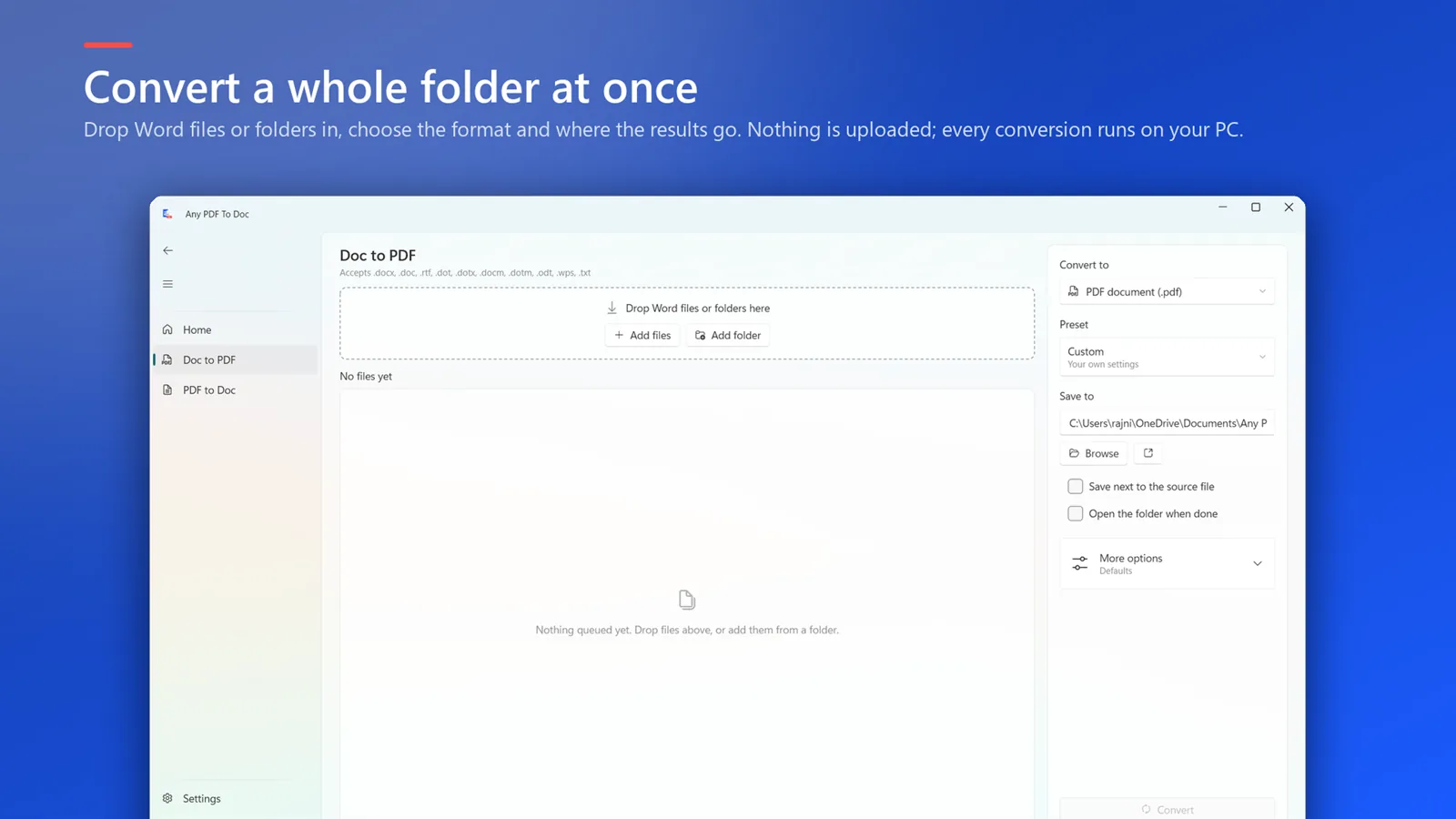
Any PDF To Doc: Convert a whole folder at once — Drop Word files or folders in and choose where the results go

What Any PDF To Doc does

A focused Word ↔ PDF batch converter. Point it at a folder and go.

W

Word →

DOC, DOCX, RTF

  • PDF
  • Text
  • RTF
  • XPS
PDF

PDF →

Any PDF

  • DOCX
  • RTF

Whole folders

Drop a folder in; only the Word files are picked up and converted.

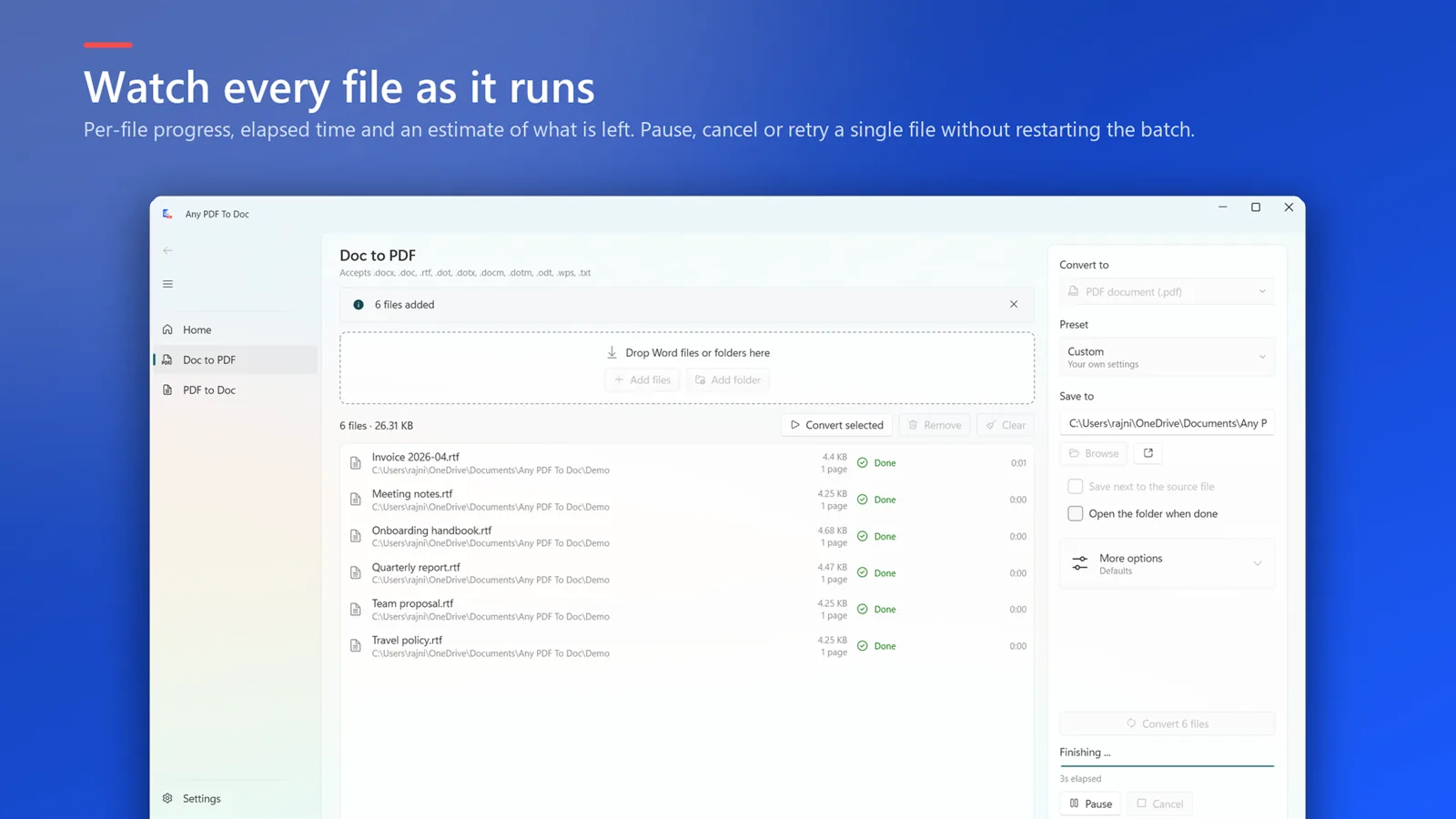
Watch every file

Per-file progress and time left. Pause, cancel or retry a single file without restarting the batch.

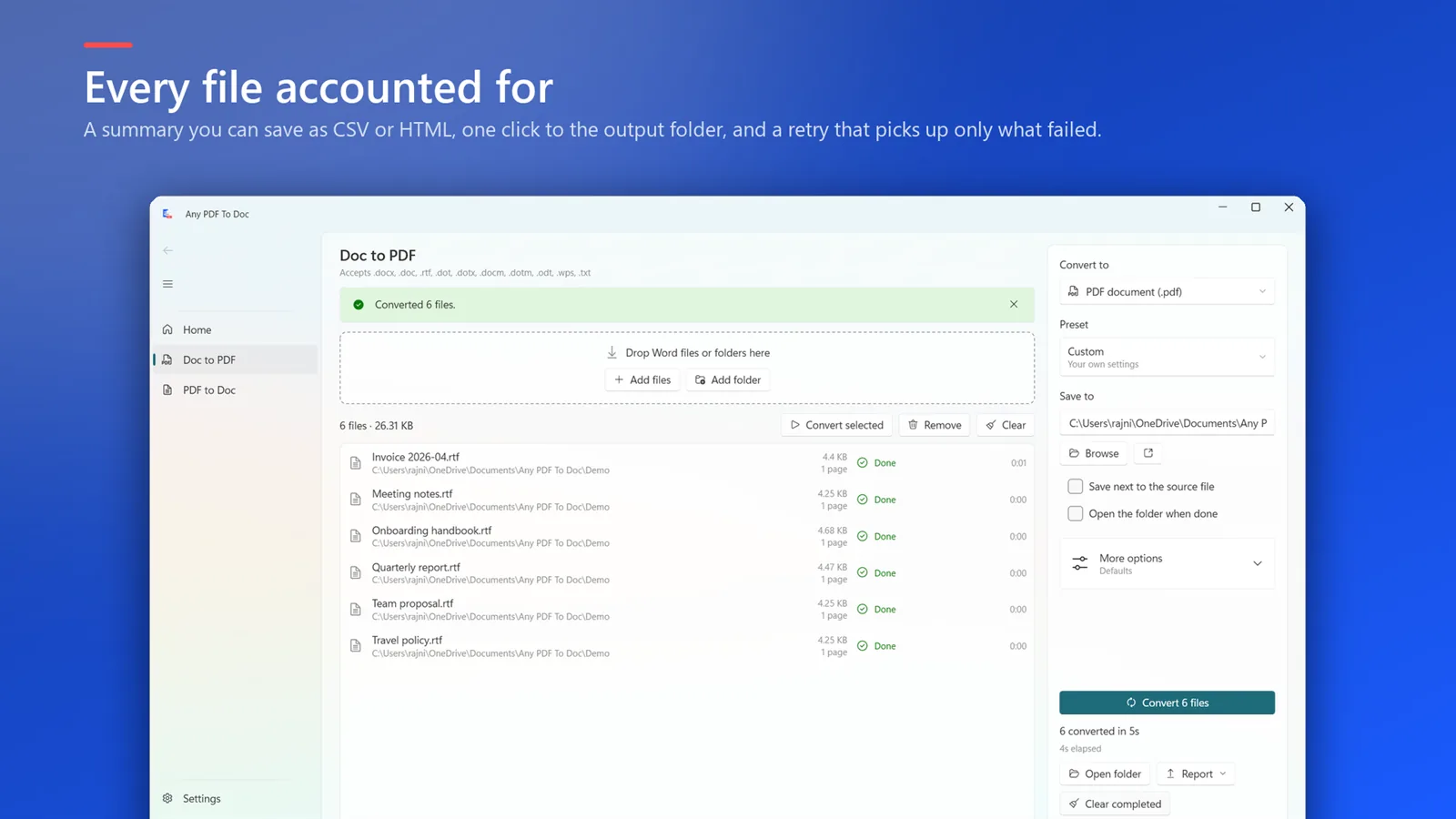
Every file accounted for

Save a summary as CSV or HTML, and retry only what failed.

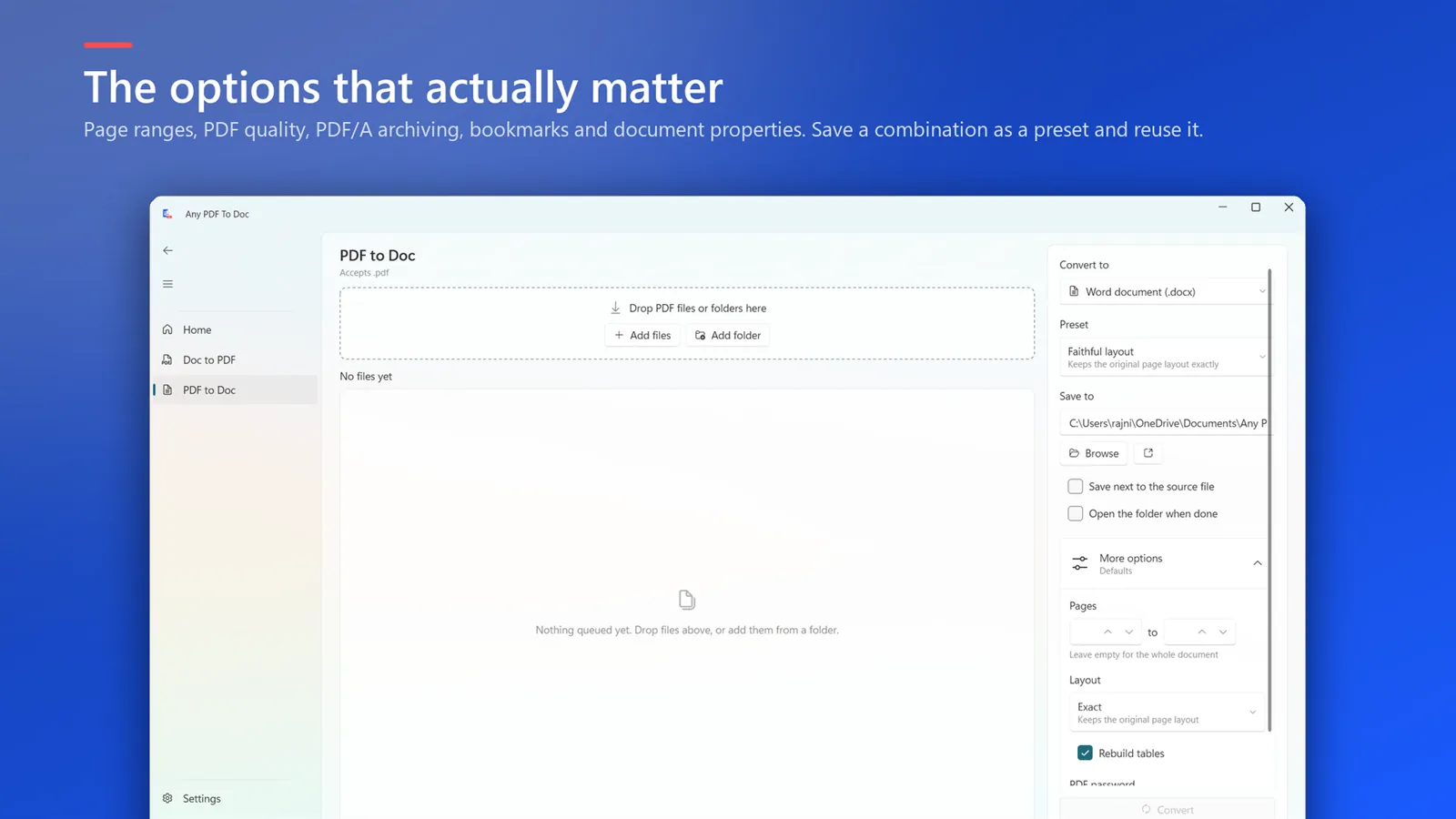
Options that matter

Page ranges, PDF quality, PDF/A archiving, bookmarks and document properties — saved as presets.

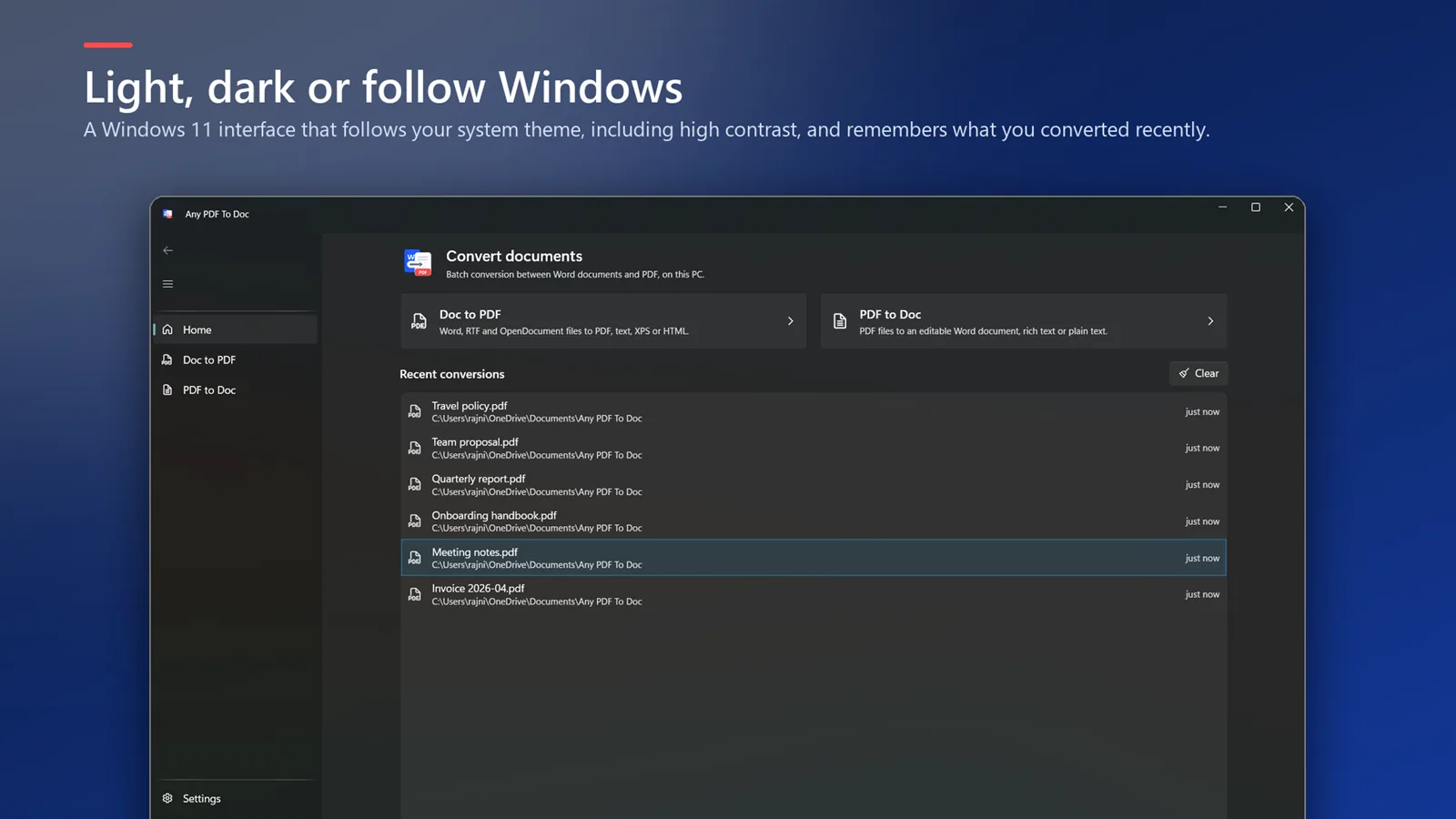
Fits Windows 11

Light, dark or follow Windows, including high-contrast themes.

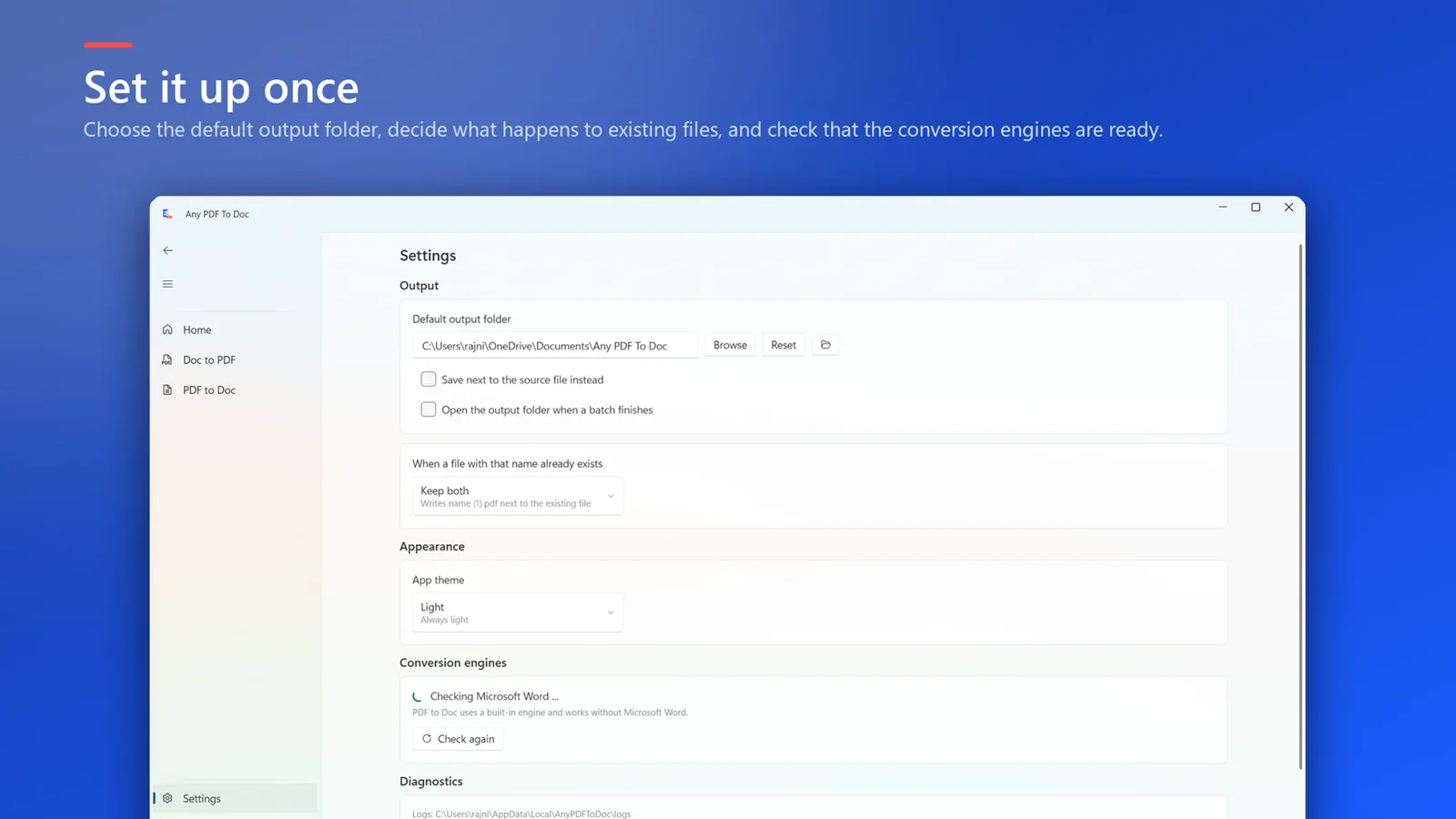
Set it up once

Default output folder and what happens to files that already exist.
See it in action

Any PDF To Doc: Convert a whole folder at once — Drop Word files or folders in and choose where the results go
Convert a whole folder at once Drop Word files or folders in and choose where the results go
Any PDF To Doc: Watch every file as it runs — Per-file progress and time left; pause, cancel or retry a single file
Watch every file as it runs Per-file progress and time left; pause, cancel or retry a single file
Any PDF To Doc: Every file accounted for — Save a summary as CSV or HTML, and retry only what failed
Every file accounted for Save a summary as CSV or HTML, and retry only what failed
Any PDF To Doc: The options that actually matter — Page ranges, PDF quality, PDF/A archiving, bookmarks and document properties
The options that actually matter Page ranges, PDF quality, PDF/A archiving, bookmarks and document properties
Any PDF To Doc: Light, dark or follow Windows — A Windows 11 interface that follows your system theme, including high contrast
Light, dark or follow Windows A Windows 11 interface that follows your system theme, including high contrast
Any PDF To Doc: Set it up once — Default output folder and what happens to files that already exist
Set it up once Default output folder and what happens to files that already exist

How it works

  1. Choose Doc to PDF or PDF to Doc.
  2. Drop Word files or folders in and choose where the results go.
  3. Start the batch and watch each file finish — then open the folder or save a report.

Requires Microsoft Office (Word) installed on your PC.

Any PDF To Doc

₹109one-time

  • Word (DOC, DOCX, RTF) to PDF, text or XPS
  • PDF to editable Word (DOCX, RTF)
  • PDF/A archiving, page ranges and bookmarks
  • Per-file progress, pause, retry and reports
Start free trial on Microsoft Store
  • Free trial first
  • Pay once, no subscription
  • Billed & refunded by Microsoft

Questions

Do I need Microsoft Office?

Yes. Any PDF To Doc uses your installed Microsoft Word to convert documents.

What happens with scanned PDFs?

Scanned PDFs contain pictures of pages, so those pages appear in Word as images rather than editable text.

Can it make PDF/A files?

Yes. PDF/A archiving is one of the PDF options, along with page ranges, quality, bookmarks and document properties.

I also need Excel and PowerPoint. Which app?

Office File Manager covers Word, Excel, PowerPoint, images and all PDF tools.

More from PDFClubs

File Flow

Automatically sorts, renames and files everything that lands in Downloads, Desktop or any folder, by rules you set. Every move is logged and undoable.

Free Pro: one-time upgrade